Workflow Automation Software: Streamlining Operations, Boosting Productivity
In today’s fast-paced business environment, efficiency is paramount. Companies are constantly seeking ways to optimize processes, reduce costs, and improve overall productivity. Workflow automation software has emerged as a powerful solution, enabling organizations to streamline operations, minimize errors, and free up valuable resources.
What is Workflow Automation Software?
Workflow automation software is a technology that automates repetitive, rule-based tasks and processes within an organization. It replaces manual, paper-based workflows with digital, automated systems. The software can handle a wide range of tasks, from simple data entry to complex, multi-step processes involving multiple departments.
Key Features of Workflow Automation Software
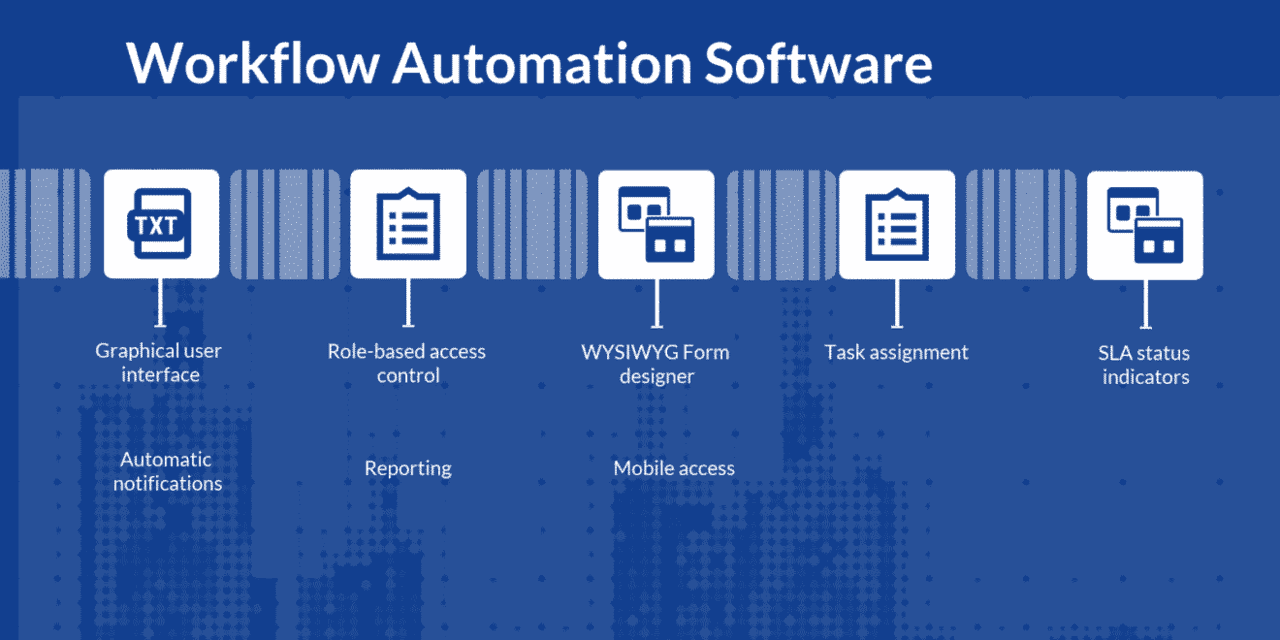
Workflow automation software typically includes the following features:
- Workflow Design: A visual interface for designing and mapping out workflows, often using drag-and-drop functionality.
- Task Management: Tools for assigning tasks, setting deadlines, and tracking progress.
- Data Management: Capabilities for collecting, storing, and managing data related to workflows.
- Integration: The ability to connect with other business systems, such as CRM, ERP, and HR software.
- Reporting and Analytics: Features for monitoring workflow performance, identifying bottlenecks, and generating reports.
- Notifications and Alerts: Automated notifications to keep users informed of task assignments, deadlines, and other important events.
- Document Management: Capabilities for managing and routing documents within workflows.
- Rules Engine: A system for defining rules that trigger automated actions based on specific conditions.
- User Roles and Permissions: Features for controlling access to workflows and data based on user roles.
Benefits of Workflow Automation Software
Implementing workflow automation software can bring numerous benefits to organizations of all sizes:
- Increased Efficiency: Automating repetitive tasks frees up employees to focus on more strategic and creative work, leading to increased overall efficiency.
- Reduced Costs: Automation reduces the need for manual labor, eliminates errors, and optimizes resource allocation, resulting in significant cost savings.
- Improved Accuracy: Automated systems eliminate human error, ensuring data accuracy and consistency.
- Enhanced Productivity: By streamlining processes and eliminating bottlenecks, workflow automation software boosts productivity across the organization.
- Better Compliance: Automation ensures that processes are followed consistently, reducing the risk of non-compliance with regulations and internal policies.
- Faster Turnaround Times: Automated workflows can significantly reduce the time it takes to complete tasks and processes.
- Improved Visibility: Workflow automation software provides real-time visibility into the status of tasks and processes, enabling managers to identify and address issues quickly.
- Enhanced Collaboration: Automation facilitates collaboration by providing a centralized platform for managing and sharing information.
- Better Customer Service: Faster turnaround times, improved accuracy, and enhanced collaboration can lead to better customer service and increased customer satisfaction.
- Scalability: Workflow automation software can easily scale to accommodate growing business needs.
Use Cases for Workflow Automation Software
Workflow automation software can be applied to a wide range of processes across various industries. Here are some common use cases:
- Invoice Processing: Automating the process of receiving, approving, and paying invoices.
- Order Management: Automating the process of receiving, processing, and fulfilling customer orders.
- Employee Onboarding: Automating the process of onboarding new employees, including paperwork, training, and system access.
- Expense Reporting: Automating the process of submitting, approving, and reimbursing employee expenses.
- Leave Management: Automating the process of requesting, approving, and tracking employee leave.
- IT Help Desk: Automating the process of receiving, routing, and resolving IT support requests.
- Customer Service: Automating tasks such as responding to customer inquiries, resolving complaints, and processing returns.
- Sales: Automating tasks such as lead generation, follow-up, and proposal creation.
- Marketing: Automating tasks such as email marketing, social media posting, and lead nurturing.
- HR: Automating tasks such as recruitment, performance management, and payroll processing.
- Legal: Automating tasks such as contract management, compliance monitoring, and legal research.
Choosing the Right Workflow Automation Software
Selecting the right workflow automation software is crucial for maximizing its benefits. Here are some factors to consider:
- Business Needs: Identify the specific processes you want to automate and the features you need.
- Ease of Use: Choose software that is easy to use and requires minimal training.
- Integration Capabilities: Ensure that the software integrates with your existing business systems.
- Scalability: Select software that can scale to accommodate your growing business needs.
- Pricing: Compare pricing models and choose a solution that fits your budget.
- Vendor Reputation: Research the vendor’s reputation and read reviews from other users.
- Support and Training: Ensure that the vendor provides adequate support and training.
- Security: Ensure that the software is secure and protects your data.
- Customization: Check if the software can be customized to meet your specific needs.
- Mobile Access: Consider whether you need mobile access to workflows.
Workflow Automation Software Trends
The workflow automation software market is constantly evolving. Here are some of the key trends:
- AI-Powered Automation: Artificial intelligence (AI) is being integrated into workflow automation software to enable more intelligent and adaptive automation.
- Low-Code/No-Code Platforms: Low-code/no-code platforms are making it easier for non-technical users to build and deploy automated workflows.
- Robotic Process Automation (RPA): RPA is being used to automate repetitive tasks that are difficult to automate with traditional workflow automation software.
- Cloud-Based Solutions: Cloud-based workflow automation solutions are becoming increasingly popular due to their scalability, flexibility, and cost-effectiveness.
- Integration with IoT Devices: Workflow automation software is being integrated with Internet of Things (IoT) devices to automate processes involving physical objects.
The Future of Workflow Automation
Workflow automation is poised to play an increasingly important role in the future of work. As businesses continue to embrace digital transformation, workflow automation software will become an essential tool for streamlining operations, improving efficiency, and driving innovation.
Conclusion
Workflow automation software is a powerful tool that can help organizations of all sizes streamline operations, reduce costs, improve accuracy, and enhance productivity. By automating repetitive tasks and processes, workflow automation software frees up employees to focus on more strategic and creative work, leading to increased overall efficiency and better business outcomes. When choosing workflow automation software, it is important to consider your specific business needs, ease of use, integration capabilities, scalability, pricing, vendor reputation, support and training, security, customization options, and mobile access. As the workflow automation software market continues to evolve, organizations can expect to see even more innovative and powerful solutions emerge, further transforming the way work is done.